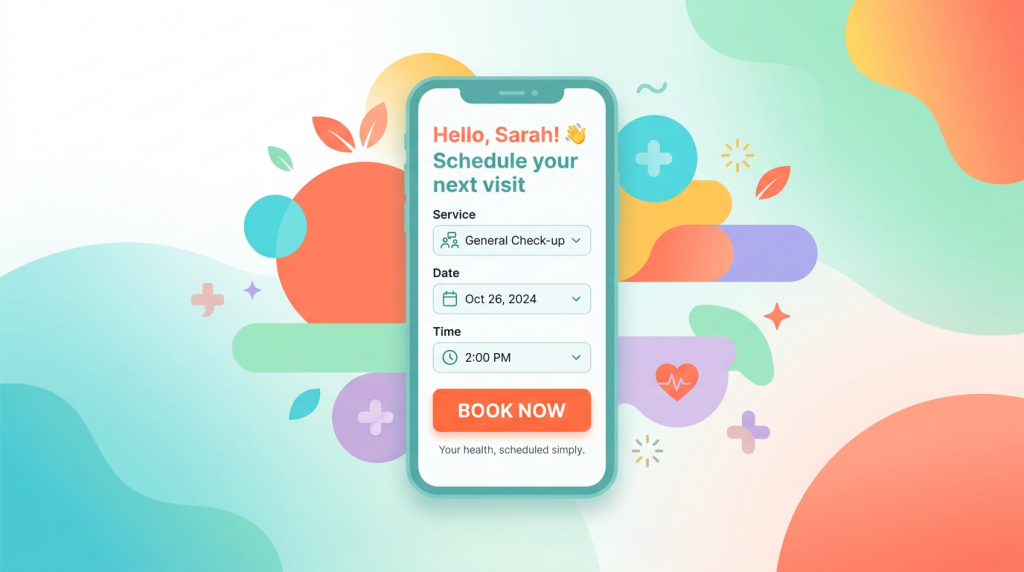
Your website gets traffic. You've got online booking. Maybe you've even invested in Google Ads. So why aren't more new patients actually hitting that "book now" button?
Here's the uncomfortable truth: having online booking isn't enough anymore. Many clinics now offer it. The difference between clinics that convert browsers into booked patients and those that don't? It's usually a handful of subtle mistakes, the kind that don't scream for attention but quietly send prospective patients to the clinic down the road.
Let's walk through five of the most common ones. They're all fixable, and fixing even one could change your new patient numbers within weeks.
Picture this. A prospective patient finds you on Google. They're ready to book. They click "Book Now" and... bam. Registration form. Username, password, email verification, home address, medical history, next of kin details. (Okay, maybe not that last one. But it feels that way.)
Every field you add before showing available appointments is a tiny tax on their motivation. For someone who's never met you? That discomfort tax adds up fast.
Research shows forced account creation kills conversions across every industry. Your prospective patient doesn't want a relationship with your software, they want to see if you have a slot Thursday afternoon.
The fix: Let people browse availability and pick a time before asking for anything beyond the basics. You can collect the rest later, through pre-appointment forms, your patient portal, or during their visit. First impressions matter. Don't make yours feel like homework.
If your "Book Online" button leads to a contact form, a phone number, or a calendar that says "please call to confirm," you've got a problem.
New patients expect to see actual slots and book immediately. That's literally the point of online booking. When they can't, two things happen: some will call (adding to your reception workload), but more will simply find a clinic that lets them book right now.
Why wait for your callback when the place down the road confirms appointments in 90 seconds?
The fix: Your booking system should update automatically as appointments are booked, moved, or cancelled. No manual syncing. No "we'll call you back within 24 hours." If a slot's open, patients should be able to claim it immediately. Simple.
Sounds obvious, right? Check your website on your phone. How many taps to reach actual booking? If it's more than two, you're losing people.
Amazing how many clinics bury their booking link in dropdown menus, hide it on the Contact page, or have it disappear completely on mobile. Some sites show "Book Now" prominently on desktop that vanishes on the version most visitors actually use.
The fix: Your booking link should be visible on every single page. Header button. Navigation bar. Footer. Everywhere. On mobile, it should be impossible to miss. Some clinics embed booking widgets directly on service pages, patients see availability without going anywhere else.
One multidisciplinary clinic we work with embedded F365's booking iframe on each service page. Someone reading about physiotherapy sees physio slots right there. Someone looking at dermatology sees dermatology availability. No hunting, no confusion, no extra clicks. Their online bookings jumped noticeably within a month.
Patient books an appointment. Then... nothing. No confirmation. No details. Just radio silence.
That silence creates anxiety. Anxious patients no-show. They double-book elsewhere "just in case." They call reception to check their appointment actually worked, defeating the entire point of self-service booking.
The fix: Every booking should trigger instant confirmation, email, SMS, or both. Include:
This isn't just being nice. It's practical. Informed patients show up. Pre-appointment forms completed online mean your clinicians aren't spending the first ten minutes gathering basic info they could've collected earlier.
This one's specific to multidisciplinary clinics, and it's surprisingly common.
You've got physios, osteopaths, a GP, maybe a psychologist. But your booking system shows everyone in one giant list. Now patients have to figure out whether "Initial Consultation" means the same thing for knee pain as it does for anxiety. Should they book with Dr Sarah or Dr James? What's the difference between "Assessment" and "New Patient Appointment"?
Confused patients don't book. They leave.
The fix: Guide patients by service first. Someone clicks "Sports Physiotherapy," they see only physios who offer that service, at locations where it's available, during times those practitioners actually work. Clean. Simple. No guesswork.
This means having proper admin controls, setting which appointments appear online, which require deposits, which are for returning patients only. Sounds complex, but the right system handles this configuration once, then shows patients exactly what they need to see.
They're not about whether you offer online booking. They're about friction. Each one adds a tiny barrier between a motivated patient and a confirmed appointment. In a market where patients have options, friction doesn't just slow people down, it sends them somewhere easier.
The good news? None of these require a website redesign or massive technology investment. They just need a booking system designed with patient experience in mind, that gives you proper control over how that experience works.
Want to see what friction-free booking looks like?
F365 gives you embeddable online booking patients can use directly from your website, filtered by location, service, and practitioner. You control which slots appear online, whether deposits are required, how new versus returning patients book. Patients get instant confirmations, pre-appointment forms, and a clear path from "I'm interested" to "I'm booked."
No forced account creation. No stale calendars. No confusion.
See Function 365 in action, book a personalised 30-minute walkthrough
Your website gets traffic. You've got online booking. Maybe you've even invested in Google Ads. So why aren't more new patients actually hitting that "book now" button?
Here's the uncomfortable truth: having online booking isn't enough anymore. Many clinics now offer it. The difference between clinics that convert browsers into booked patients and those that don't? It's usually a handful of subtle mistakes, the kind that don't scream for attention but quietly send prospective patients to the clinic down the road.
Let's walk through five of the most common ones. They're all fixable, and fixing even one could change your new patient numbers within weeks.
Picture this. A prospective patient finds you on Google. They're ready to book. They click "Book Now" and... bam. Registration form. Username, password, email verification, home address, medical history, next of kin details. (Okay, maybe not that last one. But it feels that way.)
Every field you add before showing available appointments is a tiny tax on their motivation. For someone who's never met you? That discomfort tax adds up fast.
Research shows forced account creation kills conversions across every industry. Your prospective patient doesn't want a relationship with your software, they want to see if you have a slot Thursday afternoon.
The fix: Let people browse availability and pick a time before asking for anything beyond the basics. You can collect the rest later, through pre-appointment forms, your patient portal, or during their visit. First impressions matter. Don't make yours feel like homework.
If your "Book Online" button leads to a contact form, a phone number, or a calendar that says "please call to confirm," you've got a problem.
New patients expect to see actual slots and book immediately. That's literally the point of online booking. When they can't, two things happen: some will call (adding to your reception workload), but more will simply find a clinic that lets them book right now.
Why wait for your callback when the place down the road confirms appointments in 90 seconds?
The fix: Your booking system should update automatically as appointments are booked, moved, or cancelled. No manual syncing. No "we'll call you back within 24 hours." If a slot's open, patients should be able to claim it immediately. Simple.
Sounds obvious, right? Check your website on your phone. How many taps to reach actual booking? If it's more than two, you're losing people.
Amazing how many clinics bury their booking link in dropdown menus, hide it on the Contact page, or have it disappear completely on mobile. Some sites show "Book Now" prominently on desktop that vanishes on the version most visitors actually use.
The fix: Your booking link should be visible on every single page. Header button. Navigation bar. Footer. Everywhere. On mobile, it should be impossible to miss. Some clinics embed booking widgets directly on service pages, patients see availability without going anywhere else.
One multidisciplinary clinic we work with embedded F365's booking iframe on each service page. Someone reading about physiotherapy sees physio slots right there. Someone looking at dermatology sees dermatology availability. No hunting, no confusion, no extra clicks. Their online bookings jumped noticeably within a month.
Patient books an appointment. Then... nothing. No confirmation. No details. Just radio silence.
That silence creates anxiety. Anxious patients no-show. They double-book elsewhere "just in case." They call reception to check their appointment actually worked, defeating the entire point of self-service booking.
The fix: Every booking should trigger instant confirmation, email, SMS, or both. Include:
This isn't just being nice. It's practical. Informed patients show up. Pre-appointment forms completed online mean your clinicians aren't spending the first ten minutes gathering basic info they could've collected earlier.
This one's specific to multidisciplinary clinics, and it's surprisingly common.
You've got physios, osteopaths, a GP, maybe a psychologist. But your booking system shows everyone in one giant list. Now patients have to figure out whether "Initial Consultation" means the same thing for knee pain as it does for anxiety. Should they book with Dr Sarah or Dr James? What's the difference between "Assessment" and "New Patient Appointment"?
Confused patients don't book. They leave.
The fix: Guide patients by service first. Someone clicks "Sports Physiotherapy," they see only physios who offer that service, at locations where it's available, during times those practitioners actually work. Clean. Simple. No guesswork.
This means having proper admin controls, setting which appointments appear online, which require deposits, which are for returning patients only. Sounds complex, but the right system handles this configuration once, then shows patients exactly what they need to see.
They're not about whether you offer online booking. They're about friction. Each one adds a tiny barrier between a motivated patient and a confirmed appointment. In a market where patients have options, friction doesn't just slow people down, it sends them somewhere easier.
The good news? None of these require a website redesign or massive technology investment. They just need a booking system designed with patient experience in mind, that gives you proper control over how that experience works.
Want to see what friction-free booking looks like?
F365 gives you embeddable online booking patients can use directly from your website, filtered by location, service, and practitioner. You control which slots appear online, whether deposits are required, how new versus returning patients book. Patients get instant confirmations, pre-appointment forms, and a clear path from "I'm interested" to "I'm booked."
No forced account creation. No stale calendars. No confusion.
See Function 365 in action, book a personalised 30-minute walkthrough