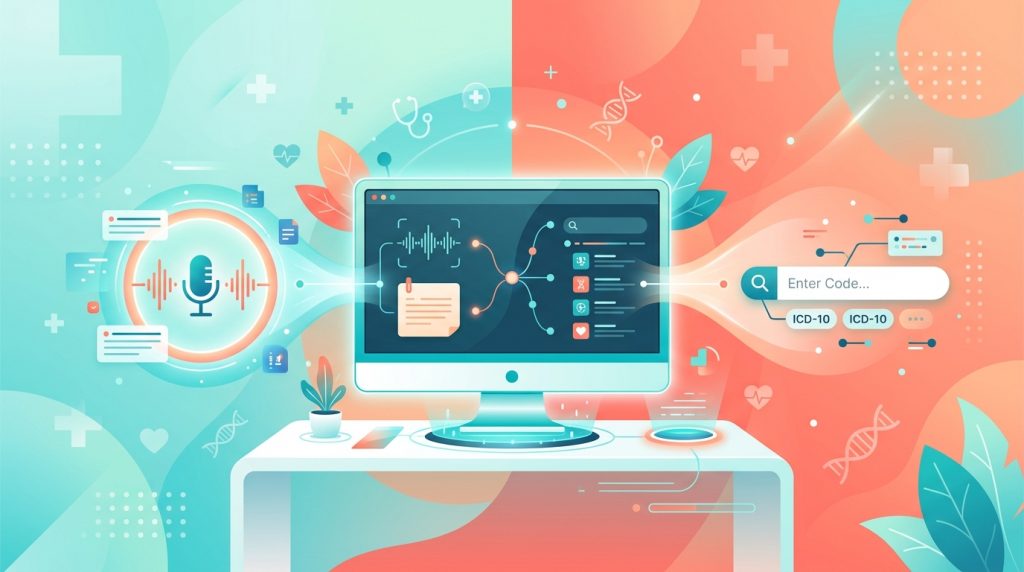
Every clinician in your practice has a secret second job: professional tab-switcher. It doesn't include a pay rise, and the hours aren't great. The consultation ends, you smile, close the door, and suddenly they're toggling between a note-writing tool, a diagnosis-code lookup, and whatever screen needs that ICD-10 code before the day's billing can go out.
It's the admin equivalent of trying to cook dinner in three kitchens at once. AI clinical documentation on one side, manual coding on the other, and a steadily growing pile of patient notes nobody has time to write properly. The promise of AI notes and ICD-10 coding is that they'll save your team hours. But when those tools live in separate tabs—or worse, separate mental to-do lists—the saving never quite lands. The real shift happens when the two workflows collapse into one. Here's what that looks like.
In a busy clinic, a practitioner sees 20-odd patients a day. After each one they spend another 10 to 15 minutes on documentation: drafting the history, the examination, the assessment, the plan. Some dictate into one system and edit in another. Some type from memory, which means the note gets less accurate the longer the gap between conversation and keyboard.
Then comes coding. They open a separate lookup—or, if we're being honest, squint at a laminated cheat sheet that's been stuck to a monitor since 2022—hunt down the right ICD-10 code, copy it, switch to the patient record or billing screen, and paste it in. Two minutes if it's simple. Five-plus if the presentation is complex. And all of this is happening while the next patient is already waiting.
Add that up across a 10-practitioner clinic, five days a week. You're looking at hundreds of hours per month spent on post-consultation admin. Hours that could be revenue. Hours that could be your team leaving before the car park lights switch on.
The win isn't about making either task faster on its own—it's about removing the gap between them.
Function 365's AI Clinical Notes Document Draft Enhancement works during the consultation itself. The F365 Medical Assistant listens to the interaction (in-person or via the platform's built-in telehealth) and surfaces clinical observations in real time. The practitioner approves or rejects each one as it comes up. Nothing gets written without a clinician's explicit sign-off, so you’re never wondering where a datapoint or sentence came from.
The moment the visit ends, the system drafts a structured clinical note across eight sections: reason for encounter, history of presenting complaint, relevant history context, examination observations, assessment and differentials, management plan, safety-netting advice, and follow-up arrangements. Each section pulls from two sources—the transcript and the practitioner-approved observations—so the draft reflects what was actually said and what was clinically confirmed.
Here's where the coding piece connects. With the Diagnosis Code Search Settings (as configured in your Admin Panel), practitioners can search and assign ICD-10 codes directly inside the patient view or the Document Editor. The lookup searches in real time—under three seconds—and the code attaches to the patient's structured data immediately. No switching tools. No separate coding step. One screen, one pass.
Let's walk through a typical example. Dr Christine is seeing a patient with persistent lower back pain radiating into the left leg, with some numbness in the foot.
During the consultation (20 minutes):
The F365 Medical Assistant transcribes the interaction and surfaces observations—the patient's description of symptom onset, the positive straight leg raise on examination, the reduced sensation in the L5 dermatome. Dr Christine reviews each detection as it appears and approves the ones that are clinically accurate. She rejects one that mischaracterised the pain distribution, severity and onset. Total extra effort during the visit? Essentially zero, because she's reviewing observations while the patient is still in the room.
Immediately after the consultation (2–3 minutes):
The AI draft populates her note template. The history of presenting complaint section already captures the six-week timeline the patient described. The examination observations section includes the positive straight leg raise she approved. The assessment section drafts a differential that includes lumbar radiculopathy. Dr Christine reviews the draft carefully, tweaks one sentence in the management plan, and it's done.
Coding (15–20 seconds):
Still in the same document, she opens the Add Diagnosis feature, types "lumbar radiculopathy," and the ICD-10 code M54.17 appears. One click. It's attached to the patient record and ready for billing.
Total post-consultation time: under 4 minutes.
Compare that to the old workflow: 10–15 minutes writing notes from memory, plus 2–5 minutes coding in a separate system. That's a recovery of roughly 10 minutes per patient. Across 20 patients a day, Dr Christine just got over three hours back.
If you're running a private practice in the US, you already know ICD-10 isn't a nice-to-have. It's the language your insurance workflows speak. Any AI documentation tool that doesn't connect directly to ICD-10 coding is, at best, solving half the problem—and leaving your team with that second job after every consultation.
Function 365's Diagnosis Code Search Settings let your practice choose ICD-10 or SNOMED CT as your coding standard right from the Admin Panel. It's native to the platform, not a third-party bolt-on or an afterthought. The real-time lookup covers the full ICD-10 code set, and because it works inside the Document Editor, your practitioners code at the point of documentation rather than circling back hours later.
For practices that also want the granularity of SNOMED CT—useful for outcomes tracking and clinical research—that's available too, selectable at the practice level. But for insurance-driven US workflows, ICD-10 is built in and ready to go.
It's tempting to think of AI-drafted notes and inline coding as two separate nice-to-haves. The maths changes when you combine them.
The AI-assisted documentation alone cuts charting time by 70–80%. Inline coding collapses a multi-minute, multi-screen process into seconds. Together, they don't just add up—they compound. Because the coding happens inside the documentation workflow, there's no context-switching penalty. Your practitioners aren't re-reading their own notes to figure out what to code. They're coding while the clinical thinking is still fresh, right next to the assessment they just reviewed.
For a 10-practitioner clinic where each provider sees 15–20 patients a day, the recovered time adds up fast. We're talking about the difference between your team finishing documentation at 6pm and finishing at 4:30pm. Or the difference between squeezing in one more patient per provider per day—and the revenue that comes with it—without anyone working longer hours.
That's not a marginal tweak. That's a structural change in how your clinic operates.
One worry that rightly comes up is whether AI-drafted notes mean the AI is making clinical decisions. No. It isn't. The F365 Medical Assistant drafts from what the practitioner has already approved during or immediately after the consult. Every observation surfaced during the consult can be accepted or rejected by the clinician in real time. The AI doesn't guess. It doesn't infer diagnoses the practitioner hasn't confirmed. It writes up what the doctor has already validated.
The same principle applies to coding. The system doesn't auto-assign an ICD-10 code based on the transcript. The Medical Assistant searches automatically during the consultation in real-time, saving the practitioner from needing to type this in and run a code search while talking. The practitoiner instead reviews, selects, and confirms. The tool makes the search fast—under three seconds—but the clinical judgement is always human.
This matters for trust. It matters for accuracy. And in a HIPAA-compliant environment, it matters for accountability. Function 365 is HIPAA compliant by design, so the data handling behind both the AI drafts and the coding lookups meets the standard your practice requires.
When documentation and coding stop being two separate burdens, the downstream effects ripple through your whole operation. Billing gets cleaner because codes are assigned at the point of care, not reconstructed from memory later. Notes are more accurate because they're drafted from real-time data, not an end-of-day rush. And your practitioners get time back—time that translates directly into capacity, revenue, or simply a more sustainable workday.
The structured diagnosis data also opens up something most private practices don't have easy access to: outcomes tracking. When every encounter is coded precisely and consistently, you can start analysing patterns across your patient population—which treatments correlate with improvement, which presentations recur, which protocols deliver results. That's useful for clinical decision-making, and it's increasingly valuable for practices that want to publish or demonstrate evidence-based outcomes.
If your practitioners are still writing notes in one place and coding in another—or if your "AI documentation" still leaves them with a separate coding step—there's a simpler way.
See Function 365 in action — book a personalised 30-minute walkthrough and we'll show you exactly how AI-drafted clinical notes and inline ICD-10 coding work together in a single workflow. Bring your questions, we'll bring the answers.
Every clinician in your practice has a secret second job: professional tab-switcher. It doesn't include a pay rise, and the hours aren't great. The consultation ends, you smile, close the door, and suddenly they're toggling between a note-writing tool, a diagnosis-code lookup, and whatever screen needs that ICD-10 code before the day's billing can go out.
It's the admin equivalent of trying to cook dinner in three kitchens at once. AI clinical documentation on one side, manual coding on the other, and a steadily growing pile of patient notes nobody has time to write properly. The promise of AI notes and ICD-10 coding is that they'll save your team hours. But when those tools live in separate tabs—or worse, separate mental to-do lists—the saving never quite lands. The real shift happens when the two workflows collapse into one. Here's what that looks like.
In a busy clinic, a practitioner sees 20-odd patients a day. After each one they spend another 10 to 15 minutes on documentation: drafting the history, the examination, the assessment, the plan. Some dictate into one system and edit in another. Some type from memory, which means the note gets less accurate the longer the gap between conversation and keyboard.
Then comes coding. They open a separate lookup—or, if we're being honest, squint at a laminated cheat sheet that's been stuck to a monitor since 2022—hunt down the right ICD-10 code, copy it, switch to the patient record or billing screen, and paste it in. Two minutes if it's simple. Five-plus if the presentation is complex. And all of this is happening while the next patient is already waiting.
Add that up across a 10-practitioner clinic, five days a week. You're looking at hundreds of hours per month spent on post-consultation admin. Hours that could be revenue. Hours that could be your team leaving before the car park lights switch on.
The win isn't about making either task faster on its own—it's about removing the gap between them.
Function 365's AI Clinical Notes Document Draft Enhancement works during the consultation itself. The F365 Medical Assistant listens to the interaction (in-person or via the platform's built-in telehealth) and surfaces clinical observations in real time. The practitioner approves or rejects each one as it comes up. Nothing gets written without a clinician's explicit sign-off, so you’re never wondering where a datapoint or sentence came from.
The moment the visit ends, the system drafts a structured clinical note across eight sections: reason for encounter, history of presenting complaint, relevant history context, examination observations, assessment and differentials, management plan, safety-netting advice, and follow-up arrangements. Each section pulls from two sources—the transcript and the practitioner-approved observations—so the draft reflects what was actually said and what was clinically confirmed.
Here's where the coding piece connects. With the Diagnosis Code Search Settings (as configured in your Admin Panel), practitioners can search and assign ICD-10 codes directly inside the patient view or the Document Editor. The lookup searches in real time—under three seconds—and the code attaches to the patient's structured data immediately. No switching tools. No separate coding step. One screen, one pass.
Let's walk through a typical example. Dr Christine is seeing a patient with persistent lower back pain radiating into the left leg, with some numbness in the foot.
During the consultation (20 minutes):
The F365 Medical Assistant transcribes the interaction and surfaces observations—the patient's description of symptom onset, the positive straight leg raise on examination, the reduced sensation in the L5 dermatome. Dr Christine reviews each detection as it appears and approves the ones that are clinically accurate. She rejects one that mischaracterised the pain distribution, severity and onset. Total extra effort during the visit? Essentially zero, because she's reviewing observations while the patient is still in the room.
Immediately after the consultation (2–3 minutes):
The AI draft populates her note template. The history of presenting complaint section already captures the six-week timeline the patient described. The examination observations section includes the positive straight leg raise she approved. The assessment section drafts a differential that includes lumbar radiculopathy. Dr Christine reviews the draft carefully, tweaks one sentence in the management plan, and it's done.
Coding (15–20 seconds):
Still in the same document, she opens the Add Diagnosis feature, types "lumbar radiculopathy," and the ICD-10 code M54.17 appears. One click. It's attached to the patient record and ready for billing.
Total post-consultation time: under 4 minutes.
Compare that to the old workflow: 10–15 minutes writing notes from memory, plus 2–5 minutes coding in a separate system. That's a recovery of roughly 10 minutes per patient. Across 20 patients a day, Dr Christine just got over three hours back.
If you're running a private practice in the US, you already know ICD-10 isn't a nice-to-have. It's the language your insurance workflows speak. Any AI documentation tool that doesn't connect directly to ICD-10 coding is, at best, solving half the problem—and leaving your team with that second job after every consultation.
Function 365's Diagnosis Code Search Settings let your practice choose ICD-10 or SNOMED CT as your coding standard right from the Admin Panel. It's native to the platform, not a third-party bolt-on or an afterthought. The real-time lookup covers the full ICD-10 code set, and because it works inside the Document Editor, your practitioners code at the point of documentation rather than circling back hours later.
For practices that also want the granularity of SNOMED CT—useful for outcomes tracking and clinical research—that's available too, selectable at the practice level. But for insurance-driven US workflows, ICD-10 is built in and ready to go.
It's tempting to think of AI-drafted notes and inline coding as two separate nice-to-haves. The maths changes when you combine them.
The AI-assisted documentation alone cuts charting time by 70–80%. Inline coding collapses a multi-minute, multi-screen process into seconds. Together, they don't just add up—they compound. Because the coding happens inside the documentation workflow, there's no context-switching penalty. Your practitioners aren't re-reading their own notes to figure out what to code. They're coding while the clinical thinking is still fresh, right next to the assessment they just reviewed.
For a 10-practitioner clinic where each provider sees 15–20 patients a day, the recovered time adds up fast. We're talking about the difference between your team finishing documentation at 6pm and finishing at 4:30pm. Or the difference between squeezing in one more patient per provider per day—and the revenue that comes with it—without anyone working longer hours.
That's not a marginal tweak. That's a structural change in how your clinic operates.
One worry that rightly comes up is whether AI-drafted notes mean the AI is making clinical decisions. No. It isn't. The F365 Medical Assistant drafts from what the practitioner has already approved during or immediately after the consult. Every observation surfaced during the consult can be accepted or rejected by the clinician in real time. The AI doesn't guess. It doesn't infer diagnoses the practitioner hasn't confirmed. It writes up what the doctor has already validated.
The same principle applies to coding. The system doesn't auto-assign an ICD-10 code based on the transcript. The Medical Assistant searches automatically during the consultation in real-time, saving the practitioner from needing to type this in and run a code search while talking. The practitoiner instead reviews, selects, and confirms. The tool makes the search fast—under three seconds—but the clinical judgement is always human.
This matters for trust. It matters for accuracy. And in a HIPAA-compliant environment, it matters for accountability. Function 365 is HIPAA compliant by design, so the data handling behind both the AI drafts and the coding lookups meets the standard your practice requires.
When documentation and coding stop being two separate burdens, the downstream effects ripple through your whole operation. Billing gets cleaner because codes are assigned at the point of care, not reconstructed from memory later. Notes are more accurate because they're drafted from real-time data, not an end-of-day rush. And your practitioners get time back—time that translates directly into capacity, revenue, or simply a more sustainable workday.
The structured diagnosis data also opens up something most private practices don't have easy access to: outcomes tracking. When every encounter is coded precisely and consistently, you can start analysing patterns across your patient population—which treatments correlate with improvement, which presentations recur, which protocols deliver results. That's useful for clinical decision-making, and it's increasingly valuable for practices that want to publish or demonstrate evidence-based outcomes.
If your practitioners are still writing notes in one place and coding in another—or if your "AI documentation" still leaves them with a separate coding step—there's a simpler way.
See Function 365 in action — book a personalised 30-minute walkthrough and we'll show you exactly how AI-drafted clinical notes and inline ICD-10 coding work together in a single workflow. Bring your questions, we'll bring the answers.